
How to make a minecraft server for free usually comes down to one question: do you want to host on your own computer, or use a free hosting platform with limits.
If you just want a private world for a few friends, you can absolutely do this without paying, but “free” almost always trades for something, your PC stays on, performance is lower, or you accept queue times and restrictions.
This guide walks through the realistic options, what you need before you start, and the common points where people get stuck, especially networking, versions, and who can actually join.
Pick your “free” server method (what you gain, what you give up)
Before you download anything, decide which path matches your goal, because the steps and headaches are different.
| Option | Best for | Upsides | Trade-offs |
|---|---|---|---|
| Self-host on your PC | Small friend group, full control | No hosting fees, full config/mod control | Your PC must stay on, needs port/router setup for public internet |
| Free hosting platform | Quick start, no router access | No port forwarding, simple web panel | RAM/CPU limits, sleep timers, queues, fewer advanced controls |
| Local/LAN world | Same home Wi‑Fi or same network | Fastest and simplest | Friends outside your network cannot join without extra tooling |
If you’re trying to play with friends across the US and you can’t touch your router settings, a free host is often less frustrating. If you want mods, custom settings, and no time limits, self-hosting tends to feel better, assuming your internet upload is decent.
What you need before you start (so you don’t redo everything)
A lot of “it doesn’t work” comes from mismatch here, not from the server itself.
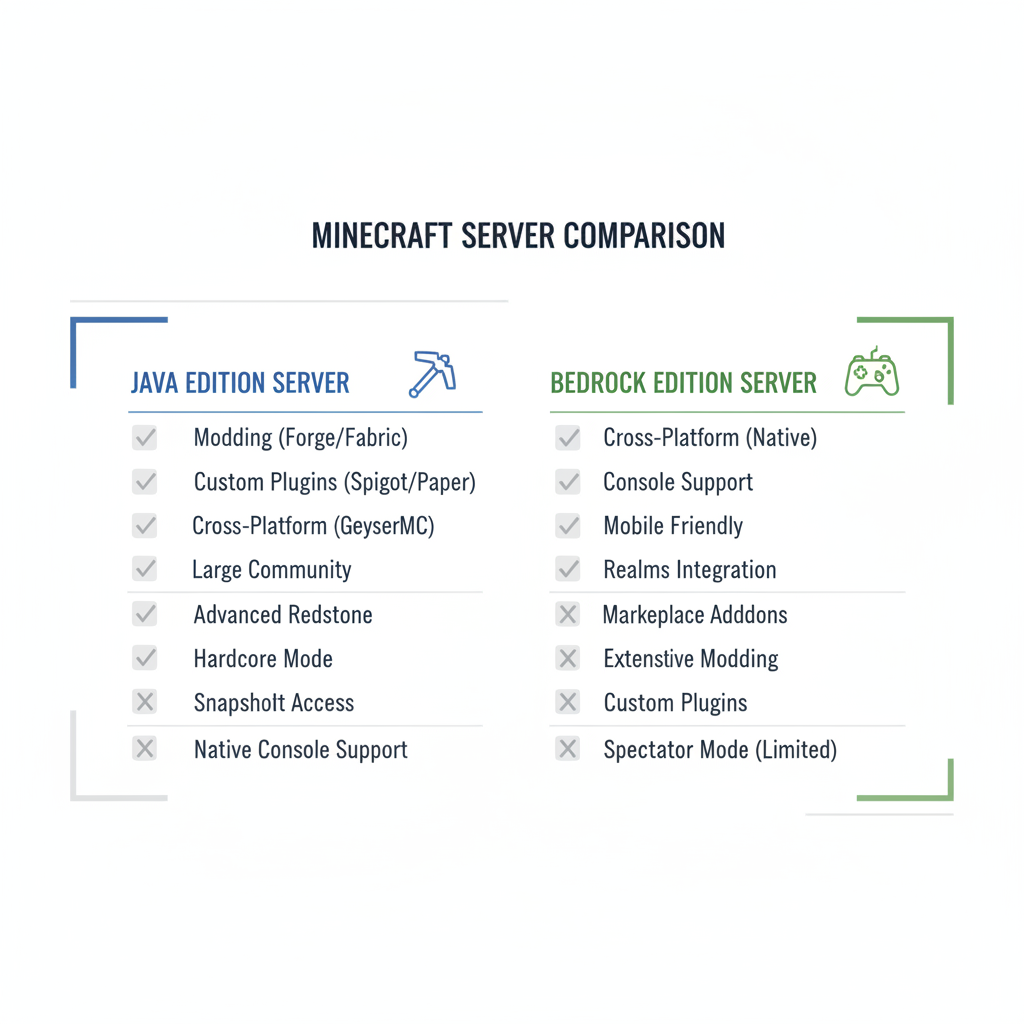
- Your edition matters: Java Edition and Bedrock Edition use different server software and join methods.
- Your version matters: server version must match client version in most cases.
- Hardware reality check: a free setup can run on basic hardware, but multiple players, redstone farms, and heavy mods will stress it.
- Network reality check: if friends join over the internet to your home server, you usually need port forwarding and a stable public IP or a dynamic DNS name.
According to Mojang Studios, Minecraft Java Edition server software is distributed as a downloadable server .jar, and you’re responsible for running and configuring it on your machine.
How to make a minecraft server on your own computer (Java, free)
This is the classic “run the server yourself” approach. It costs $0, but your computer becomes the host.
1) Download the official Java server file
Use the official Minecraft Java server download from Mojang/Minecraft’s site, then place the server .jar in an empty folder, something like minecraft-server.
2) Install/update Java (and confirm it runs)
Most modern Java servers require a current Java runtime. If the server window flashes and disappears, that’s often Java version or a missing start script.
3) Create a start script (so you can set RAM)
On Windows you typically use a .bat file, on macOS/Linux a .sh file. The idea is simple, you’re telling Java how much memory to use. Don’t over-allocate, leaving your PC with too little RAM can make everything unstable.
- For a small vanilla server, a modest allocation is usually enough.
- For mods or many players, memory needs rise fast, even if the server is “free.”
4) Accept the EULA and generate your world
First run generates config files. You’ll see an EULA file, open it and set eula=true. Then start again to generate the world and server properties.
5) Edit server.properties (the settings that actually matter)
- online-mode: keep true unless you know exactly why you’re changing it.
- difficulty, gamemode, pvp: your gameplay rules.
- view-distance: lower can help weak hardware and slow upload.
- whitelist: strongly recommended for private servers.
At this point, friends on the same home network can usually join using your local IP. Remote friends require the next section.
Let friends join your free home server (ports, IPs, and the part everyone hates)
If your friends can’t connect from outside your house, it’s almost always one of these: wrong IP, port not forwarded, firewall blocking, or the ISP does something that prevents inbound connections.
Quick self-check: which situation are you in?
- Friends on same Wi‑Fi can join, remote friends cannot: port forwarding or ISP restriction likely.
- Nobody can join, even on Wi‑Fi: server not running, wrong version, or local firewall rule.
- One friend can join, another cannot: their client version, their firewall, or you’re using an address that changes.
What to do (in practical order)
- Confirm the server is listening: your server console should show “Done” and a port (Java defaults to 25565).
- Allow Java through your firewall: on Windows, check allowed apps, on macOS, allow incoming connections for Java.
- Set a static local IP for the host PC: so router rules keep pointing to the right machine.
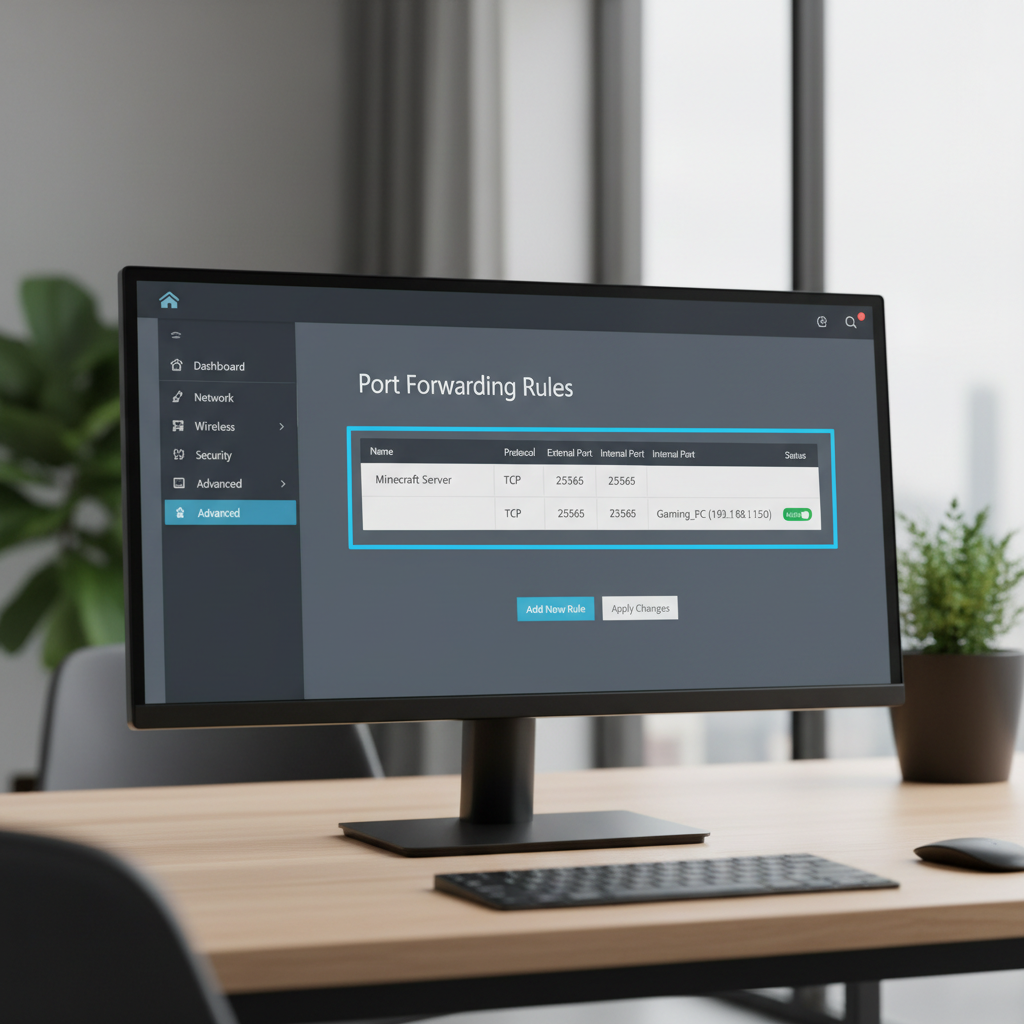
- Port forward TCP 25565 to your host PC’s local IP in your router.
- Share the right address: remote friends use your public IP or a DNS name, local friends use your private LAN IP.
According to the Federal Communications Commission (FCC), home internet upload speed and network congestion can affect real-time services, so if your server feels laggy when others join, your upstream bandwidth might be the bottleneck.
Free hosting platforms: when “no router access” matters more than control
If you’re on campus Wi‑Fi, a shared apartment router, or your ISP makes inbound ports painful, a free hosting platform can be the easiest way to make progress.
What to expect from most free tiers:
- Sleep/idle shutdown: server pauses when nobody plays, you may need to “wake” it.
- Limited RAM/CPU: works for small vanilla worlds, struggles with big modpacks.
- Queues: you might wait to start a server at peak hours.
- Backups and file access vary: some allow full file manager, others are locked down.
If your main goal is “friends can join without networking drama,” this path wins. If you want fine-tuned performance or heavy customization, free hosting is often where people outgrow the plan quickly.
Troubleshooting: the fixes that solve most “can’t join” and lag issues
When someone says they followed a guide and it still fails, these are the checks that usually uncover the reason.
Connection and version problems
- “Incompatible version”: update client or switch server jar to match.
- “Connection refused”: server not running, wrong IP/port, or firewall blocking.
- “Timed out”: port forwarding not working, ISP restriction, or network instability.
- Java vs Bedrock mismatch: these don’t connect natively without special bridging software, and even then it’s not always smooth.
Lag and performance problems
- Reduce view distance and simulation distance, it often gives instant relief.
- Close heavy background apps on the host PC, browsers and launchers can eat RAM.
- Watch the server console for “Can’t keep up” messages, it hints whether CPU or disk is struggling.
- Don’t chase huge player counts on a free setup, a stable small server feels better than a big laggy one.
Key takeaway: most “server is broken” reports are really address/version mismatch or blocked inbound traffic.
Security and privacy basics (worth doing even for a tiny friend server)
A free server is still an internet-facing service in many cases, and that changes the risk profile.
- Use a whitelist and only invite people you trust.
- Keep online-mode enabled for Java in most situations, it helps prevent spoofed logins.
- Back up the world folder on a schedule you can live with, even a simple copy works.
- Be careful with random plugins/mods, only download from reputable communities, and scan files if you’re unsure.
If you’re hosting for kids or a larger community, consider asking someone with IT experience to review your router/firewall setup, because exposing ports can be safe when done correctly, but misconfiguration is common.
Practical “start small” setup (a simple plan you can finish tonight)
If you want the fastest path that still feels stable, do this:
- Decide edition and version, then lock it in for your group.
- Start vanilla for the first week, add mods/plugins later once the base is stable.
- Enable whitelist, add 2–10 friends, test joins before sharing widely.
- Do one performance tweak only if you see lag, usually view distance first.
- Set a backup reminder, especially before big builds or updates.
If you’re stuck choosing, use free hosting when router access is impossible, and self-host when you want control and don’t mind leaving your PC on.
Conclusion: free is doable, just pick the right kind of “free”
How to make a minecraft server for free is less about a secret trick and more about choosing the hosting method that matches your constraints, then being honest about networking and performance limits.
If you want an easy win, start with a small vanilla server, whitelist it, confirm everyone can join, then iterate. That rhythm saves time, and it keeps the project fun instead of turning into a weekend-long debugging session.
FAQ
- Can I really host a Minecraft server for free forever?
Usually yes if you self-host, the cost is your electricity and keeping your PC online. Free hosting platforms may enforce timeouts or resource caps that make “forever” feel conditional. - What’s the easiest way if I can’t port forward?
A free hosting platform is often the simplest. If you self-host without port forwarding, friends outside your network typically can’t connect unless you use another networking method. - How much RAM do I need for a small server?
It depends on player count and what you run. Vanilla with a handful of friends can be modest, but mods and large exploration push memory use up quickly. - Why can my friend join but others can’t?
Look for version mismatch, incorrect address sharing, or one player’s firewall/network restrictions. It’s also common that you shared a local IP instead of a public address. - Do I need a dedicated PC to self-host?
Not always. Many people host on the same computer they play on, but performance can drop, especially if you stream, run voice chat, or use heavy modpacks. - Is it safe to open port 25565?
It can be reasonable if you keep the server updated, whitelist users, and forward only what you need. If you’re unsure about router security, asking a knowledgeable friend or IT professional is a good idea. - Java vs Bedrock: which is easier for a free server?
Java has very mature server tooling and mod/plugin ecosystems, but it’s more sensitive to version and Java runtime details. Bedrock can be simpler for cross-device play, but hosting options vary.
If you’re trying to get a free server running but keep bouncing between version errors, port issues, and “timed out” messages, it may help to outline your edition, your router access level, and how many players you expect, then choose a setup path that minimizes the one constraint you can’t change.